How TAXMV works
Four steps from invoice photo to MIRA-ready GST file. Swipe through the screens below — this is exactly what you'll see on your phone.
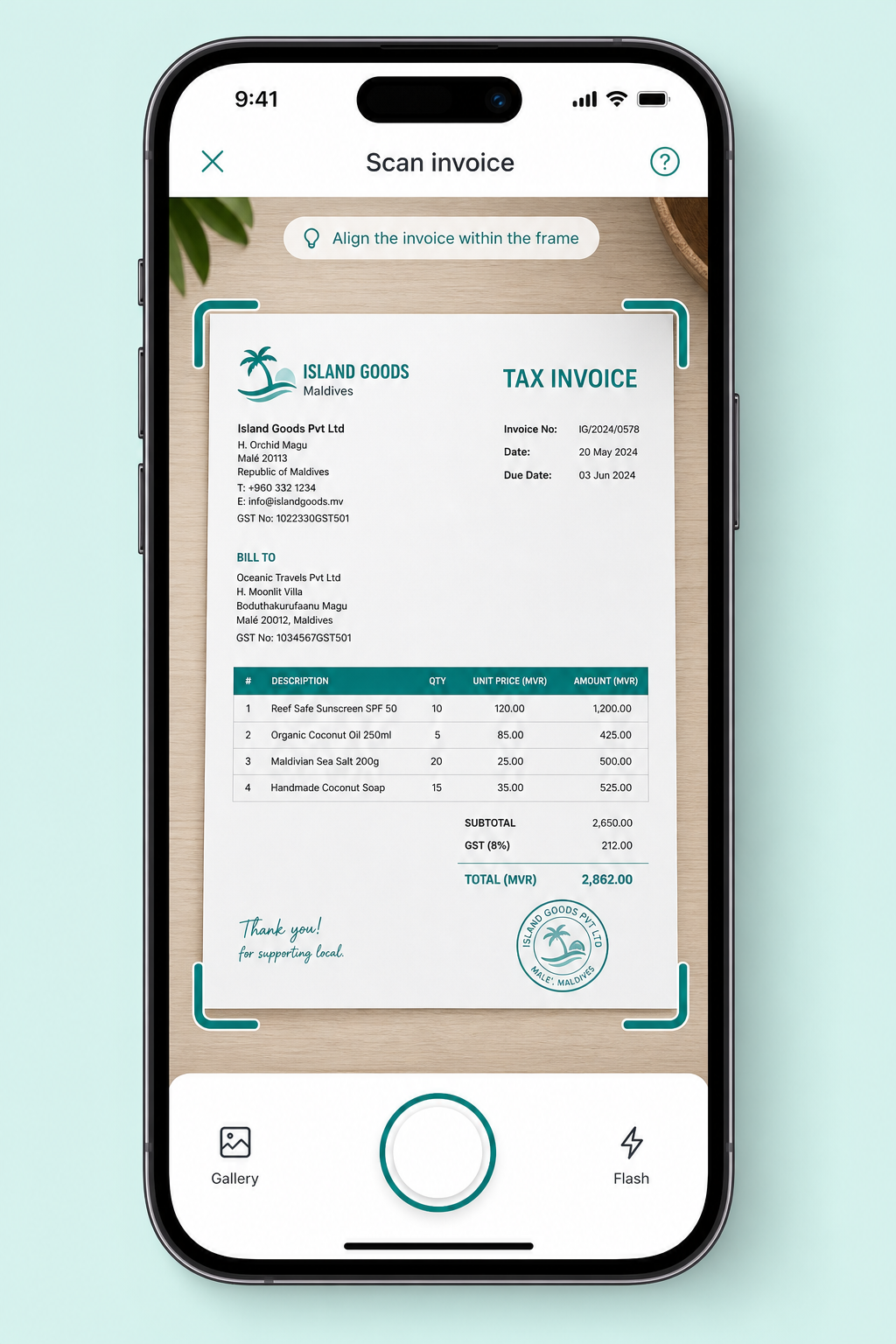
Snap the invoice
Open MIRA, point, shoot.
Download our sample invoice pack
Three realistic Maldives tax invoices — covering retail, construction, and tourism — so you can test the scan and AI extraction flow end to end without finding your own paperwork.
Island Goods — retail invoice
Small retail order with 4 line items at the 8% GST rate. A great first test.
Malé Construction — services + materials
Mixed materials and labour with larger amounts. Tests rounding and bigger totals.
Tech Dynamics — tourism / SaaS
Subscription + services billed at the 16% tourism GST rate. Tests rate detection.
The full workflow
Each step in detail — what you tap, and what TAXMV does in the background.
- 01Open MIRA, point, shoot.
Snap the invoice
Capture any tax invoice or receipt straight from your phone. No special lighting, no perfect angle — the scanner detects the document automatically.
- Works with photos, PDFs, and gallery uploads
- Auto-crops and straightens the page
- Handles Dhivehi and English invoices
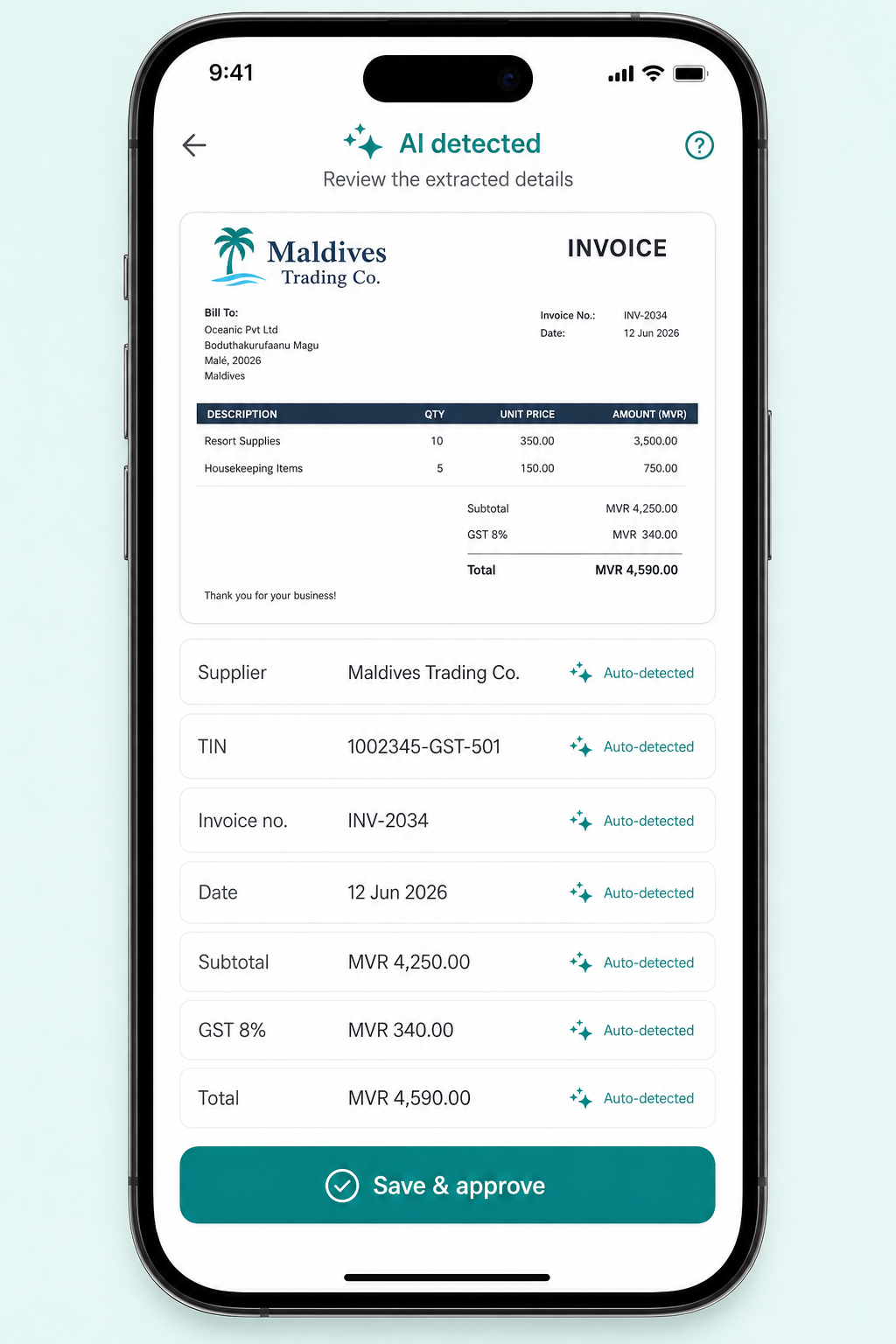
- 02Every field detected in seconds.
AI fills the form
Our AI reads supplier name, TIN, invoice number, date, subtotal, GST and total — then drops them into a clean review form. You only check, you don't type.
- Auto-detected fields marked with a sparkle
- Tap any field to correct before saving
- Suppliers are deduplicated automatically
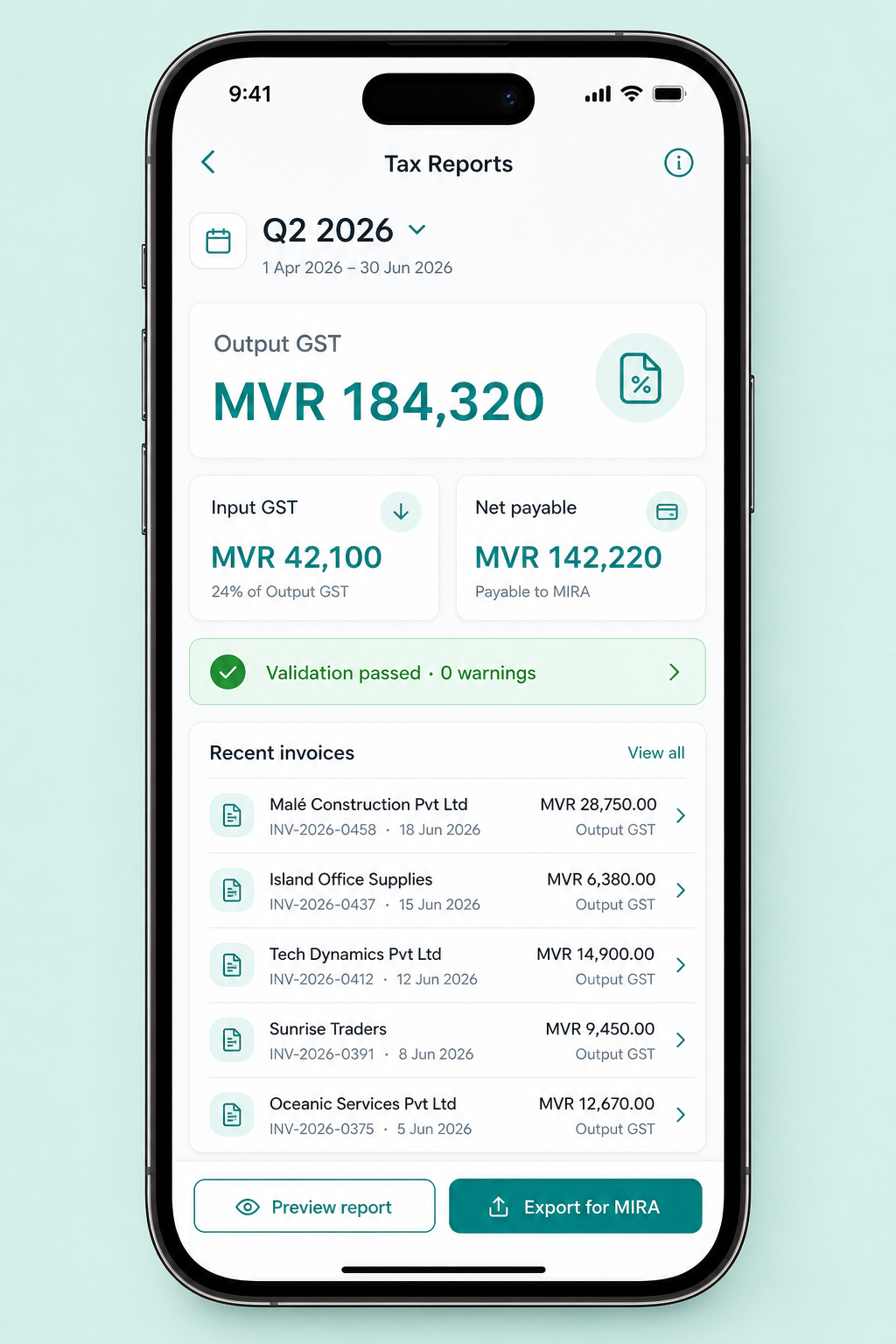
- 03One dashboard, always up to date.
Watch your tax position live
Every approved invoice rolls into your tax dashboard. Output GST, input GST and net payable update in real time, and a validation badge tells you if anything needs attention.
- Filter by quarter, month or custom range
- Validation flags missing TINs and wrong rates
- See exactly what you owe MIRA before filing
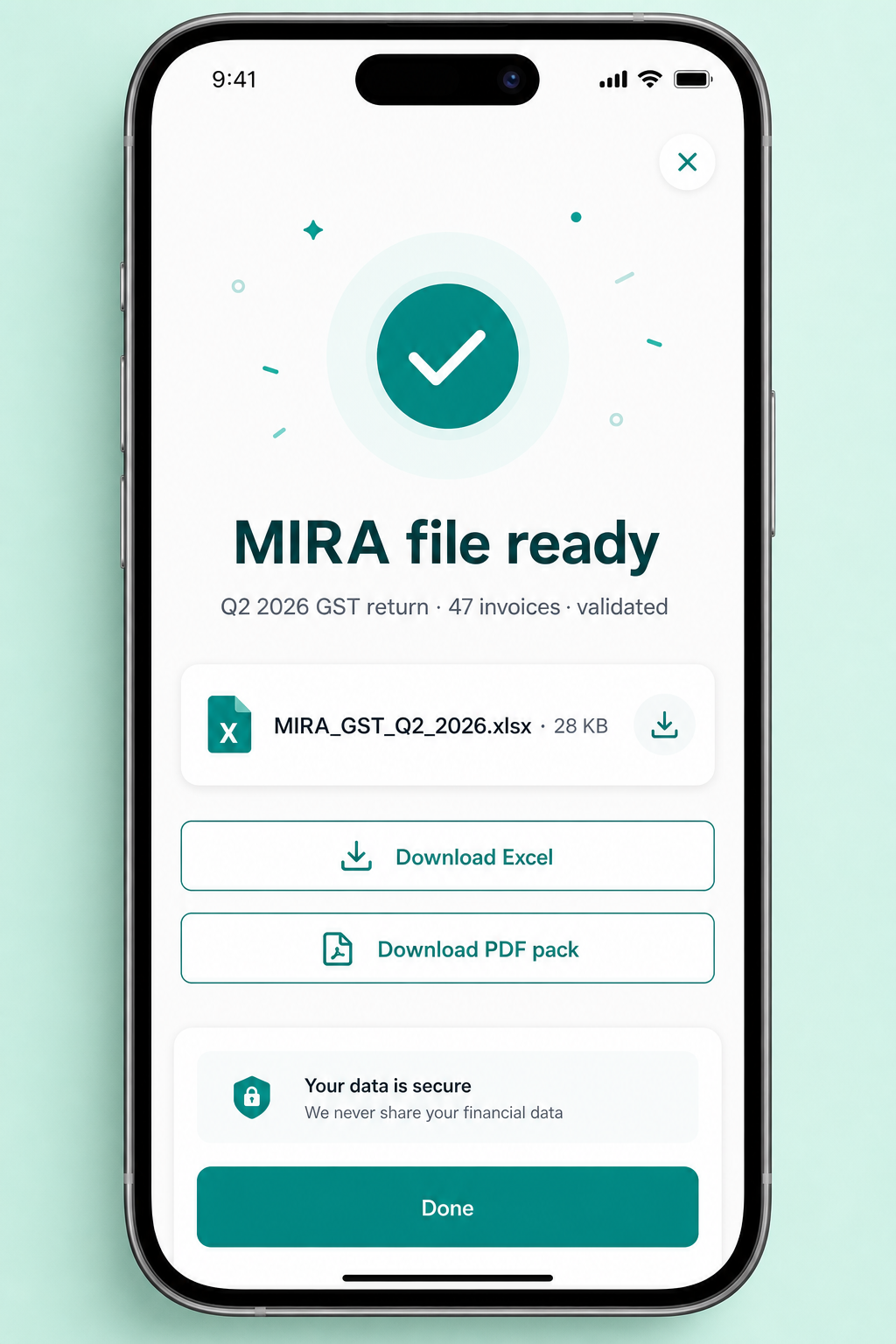
- 04MIRA-formatted, in one tap.
Export ready for MIRA
When validation passes, download the MIRA-ready Excel file plus a PDF filing pack. Upload it to MIRAconnect and you're done — usually in under a minute.
- Excel exactly matches MIRA's GST return format
- PDF pack includes every supporting invoice
- Re-download any past quarter at any time
Common questions
Everything business owners and accountants ask before their first MIRA export.
Uploading invoices
AI accuracy & tax fields
MIRA export & filing
Ready to try it on your own invoice?
Free 7-day trial. No card required. Your first scan takes under a minute.